Back to AtlasStrategy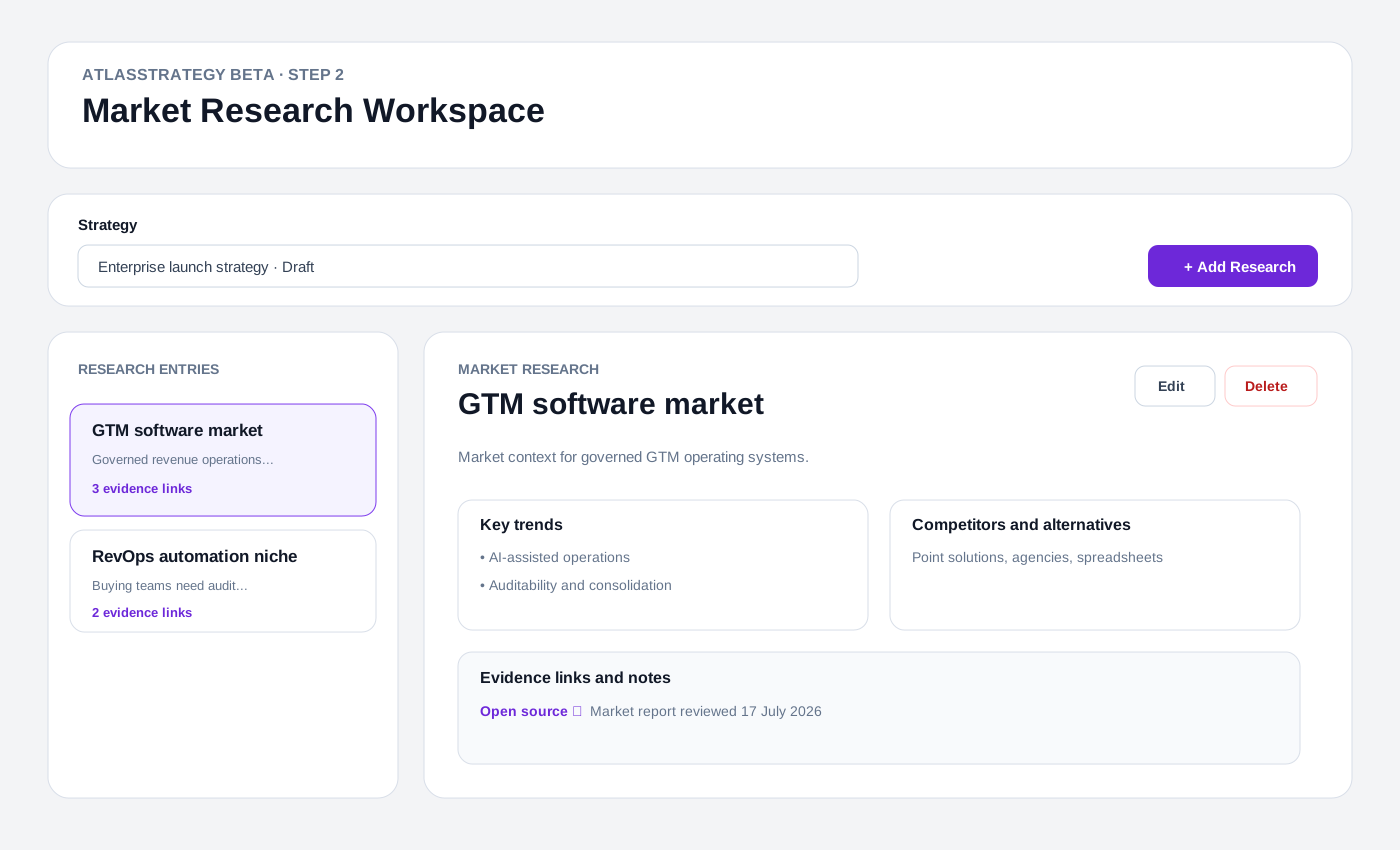
AtlasStrategy Beta guide
Market Research Workspace – Adding and managing market data
Create tenant-scoped market and niche records, preserve evidence links and notes, and keep the governed strategy snapshot source aware.
Prerequisites
- An existing AtlasStrategy workflow with a product profile.
- The correct organization and workspace selected.
- Sources or notes the organization is permitted to store.
Permissions
- All entitled workspace members may view active research entries.
- Create, update, and soft delete require the workspace strategy_edit capability, granted during Beta to organization/workspace owners and admins.
- Pending, approved, and archived strategies are read-only.
Step-by-step
- 1Open /atlasstrategy/markets and confirm the organization and workspace selectors.
- 2Choose the strategy whose product profile the research supports.
- 3Select Add Research, name the market or niche, and add a concise description.
- 4Record key trends and competitors or alternatives, including dates or confidence notes where useful.
- 5Add each source as URL | note, or add a note-only line for permitted interview or internal evidence.
- 6Save the entry, inspect the evidence count, and use Edit while the strategy remains draft or rejected.
- 7Use Delete only when the record should leave the active workspace; deletion is soft and retains audit evidence.
- 8Carry the strongest conclusions into the Step 2 approval snapshot before submitting the strategy.
Workspace list and detail
The left column shows active research records and evidence counts. The detail view presents trends, alternatives, and source notes. This source-aligned reference image illustrates the implemented layout; it is not a live deployment screenshot.
Add or edit research
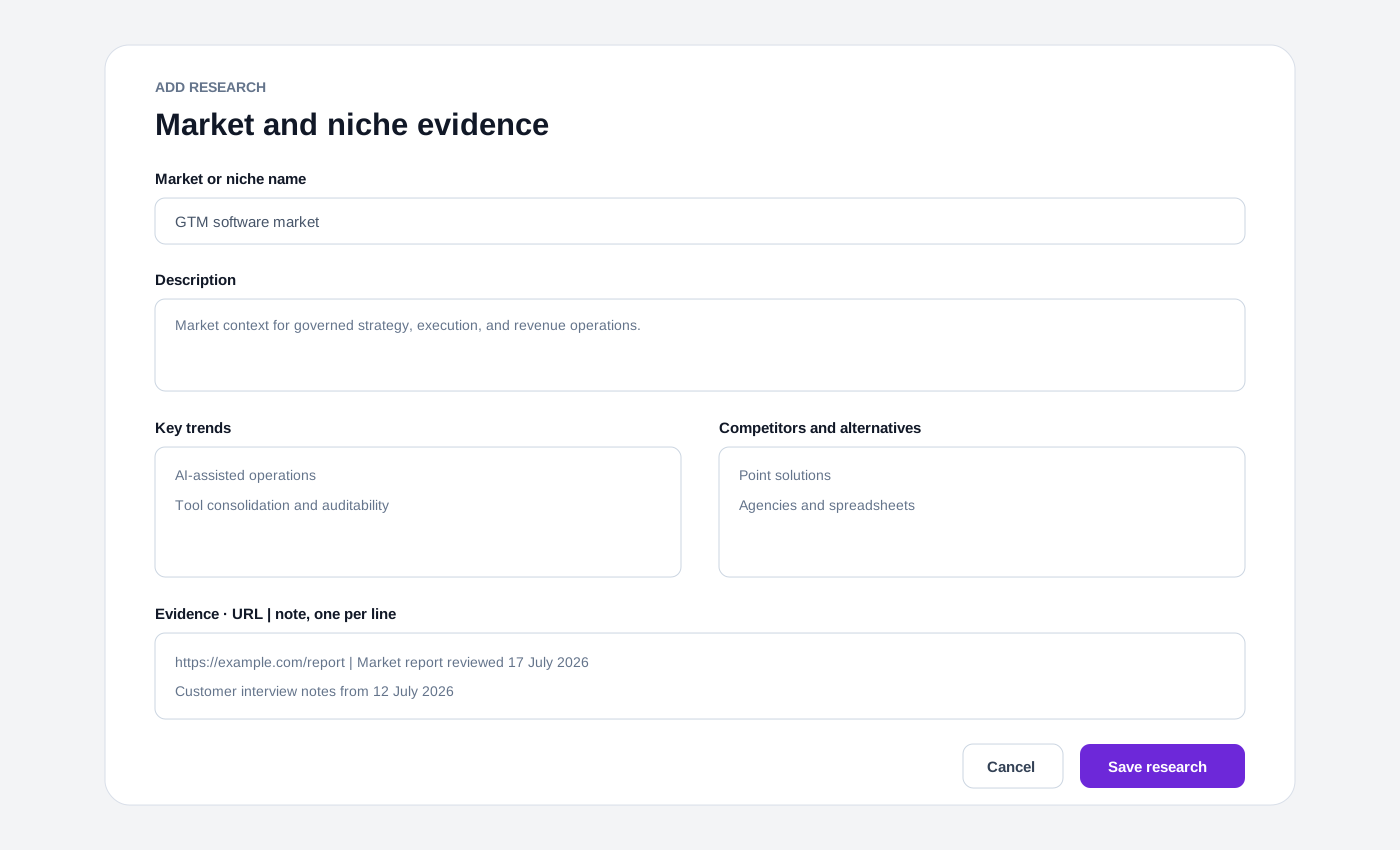
The editor keeps market name, description, trends, alternatives, and evidence in one bounded form. URLs must use HTTP or HTTPS; note-only evidence is also supported.
Expected result
- The selected strategy has one or more active research entries scoped to its tenant.
- Viewers can inspect evidence while strategy editors can manage draft/rejected research.
- Soft-deleted records disappear from active results without erasing audit fields.
Troubleshooting
- No strategies: create a product-profile strategy first.
- Read-only banner: confirm strategy_edit and that the strategy is draft or rejected.
- Duplicate market name: rename the active entry or edit the existing one.
- Invalid evidence URL: use an http/https URL or save it as a note-only line.
Open the research workspace.
Research remains operator-authored and human-governed; external database imports and autonomous conclusions are deferred.
Open Market Research Workspace